PFSENSE CLIENT FOR ANDROID
pfSense,
in your pocket.
A native Android app for the pfSense firewall you already run. Check your dashboard, toggle rules and services, watch your VPNs and gateways, and wake a sleeping device, all from one app, without needing a browser tab left open or a cloud relay in between.
PocketSense is a companion app for pfSense and requires the pfSense-pkg-RESTAPI package.
WHAT IS POCKETSENSE
pfSense, without the browser.
PocketSense talks to your pfSense firewall over pfSense-pkg-RESTAPI, a community-built, open-source REST API package for pfSense. There's no separate account to create and no data passing through anyone else's servers. It's your rules, your interfaces, your gateways, your VPNs, and your certificates, just built for your Android phone instead of a browser tab. PocketSense is built to monitor and lightly manage a firewall, not to reconfigure it: it never creates, edits, or deletes your config.
WHY IT EXISTS
Your firewall deserves a real app.
Managing pfSense from a phone usually means squinting at the full desktop GUI in a mobile browser, hunting for the right menu with your thumb. PocketSense skips that entirely. The screens you actually reach for on the go, dashboard, rules, services, gateways, VPN status, diagnostics, certificates, and Wake-on-LAN, are native, fast, and built for a phone screen from the start.
WHAT TO KNOW
A couple quick notes.
- Requires the pfSense-pkg-RESTAPI package and an API key (System > REST API).
- Needs a network path to your firewall: LAN Wi-Fi, VPN, or a reverse proxy.
- Notification permission is required for background alerts.
- Most screens are view-only; changes are limited to toggles and a few explicit actions, each confirmed by default.
- No ads, no analytics, no extra account to create.
Multiple firewalls
Add more than one pfSense firewall and switch between them from one app.
Live dashboard
CPU, memory, disk, uptime, and an at-a-glance "needs attention" list. Most screens keep a cached copy for when a firewall is unreachable.
Firewall rules & NAT
Browse your rules and NAT mappings, and enable or disable an existing one with a tap. PocketSense applies the change for you afterward.
Services & interfaces
Start, stop, and restart services, and enable or disable interfaces, with live status on every row.
Gateways & routing
Live RTT, packet loss, and status for every gateway, plus static routes, virtual IPs, and a network topology view.
VPN status & config
See live OpenVPN, IPsec, and WireGuard sessions, and enable or disable existing tunnels, servers, and clients.
Monitoring tools
Firewall states, ARP table, DHCP leases, logs, and diagnostics (ping, traceroute, packet capture, and a command prompt).
Wake-on-LAN
Wake a device from your DHCP lease list, or enter a MAC address manually.
Certificates
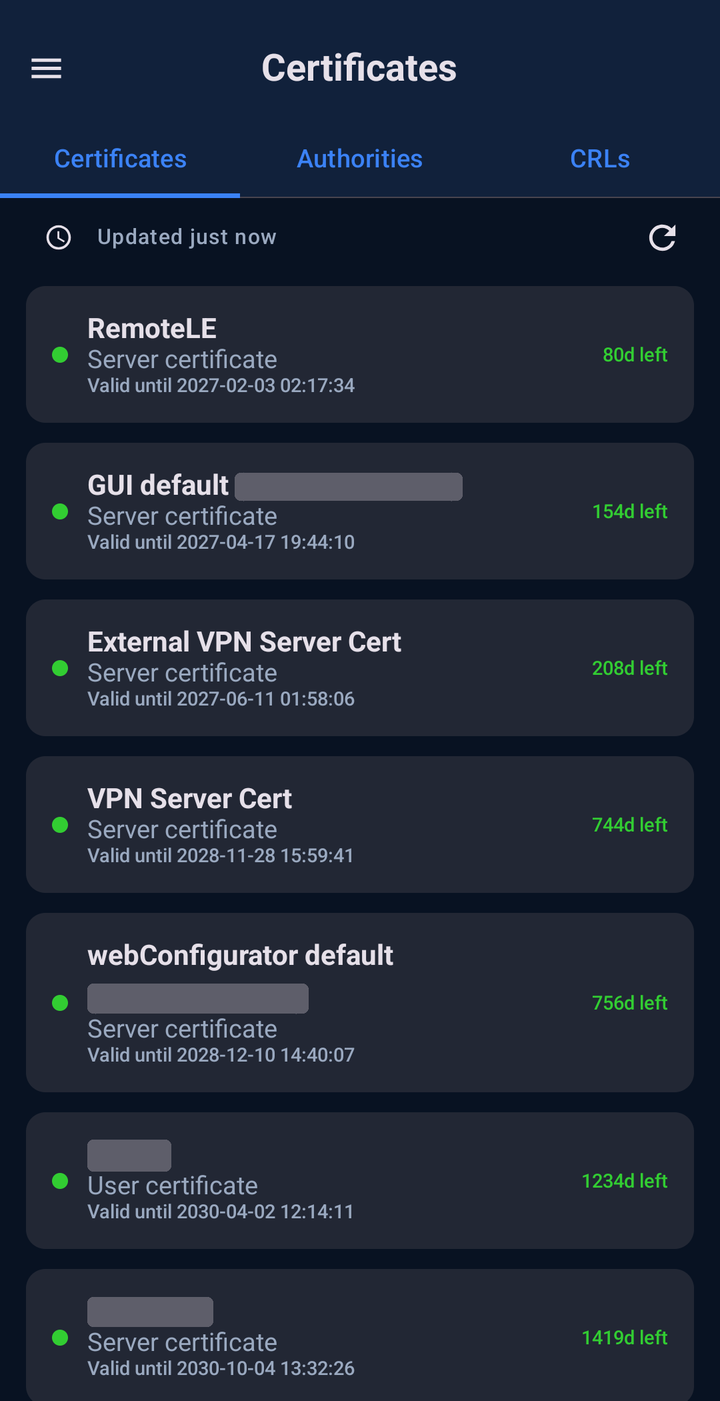
Every certificate on your firewall, sorted soonest-expiring first and color-coded.
Users & access
Review users, groups, packages, and API access. Enable or disable a user, or change a local user’s password.
Background alerts
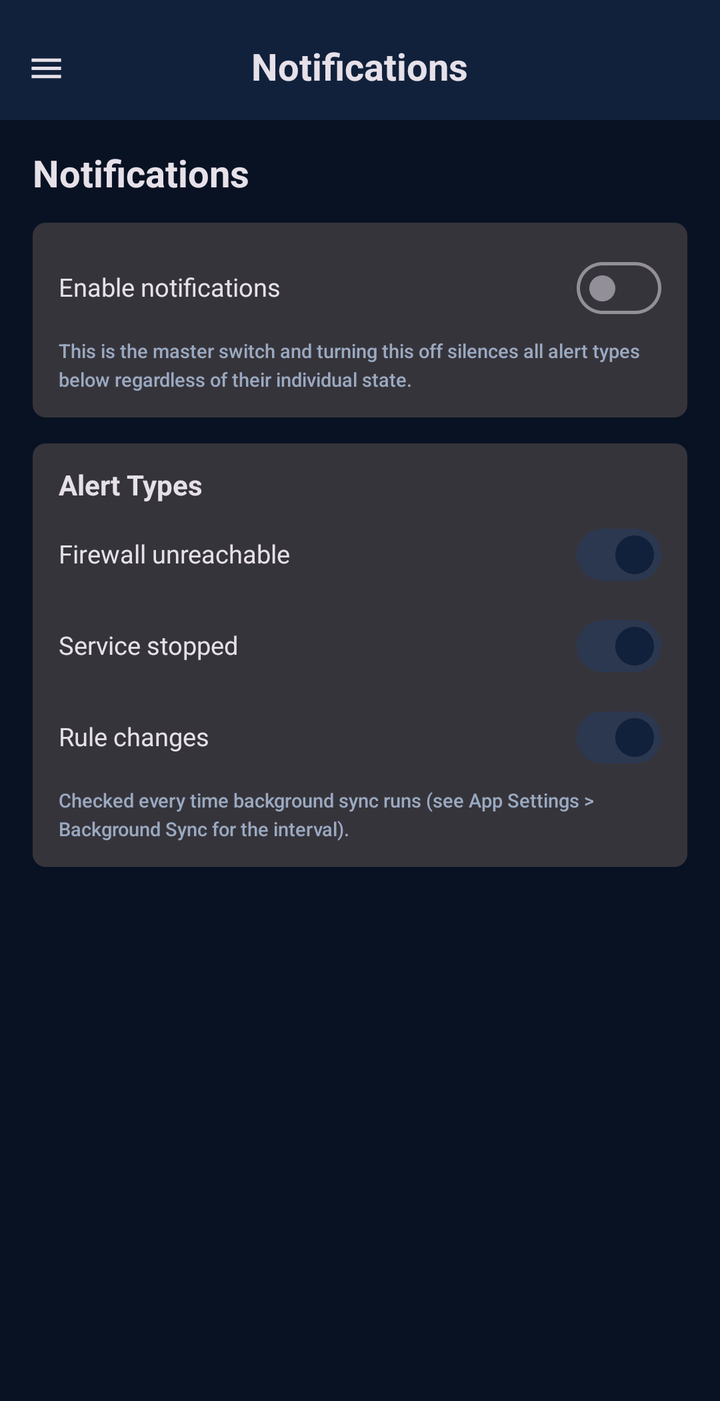
Get notified if a firewall goes unreachable, a service stops, or your rule set changes, checked on a schedule you control.
Backup & security
Scheduled backups of your firewall list to a folder you choose, optional biometric unlock, auto-logout, and confirmation prompts.
SCREENSHOTS
A closer look
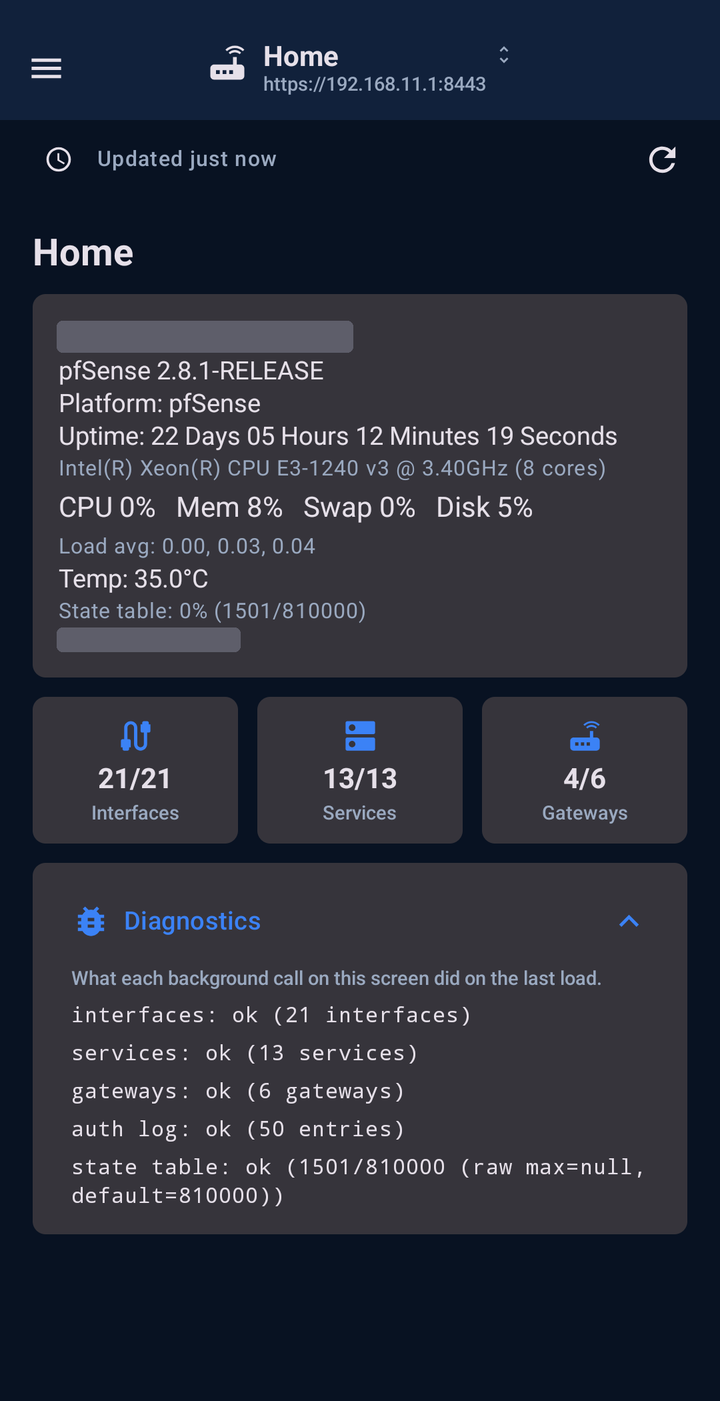
 Coming soon
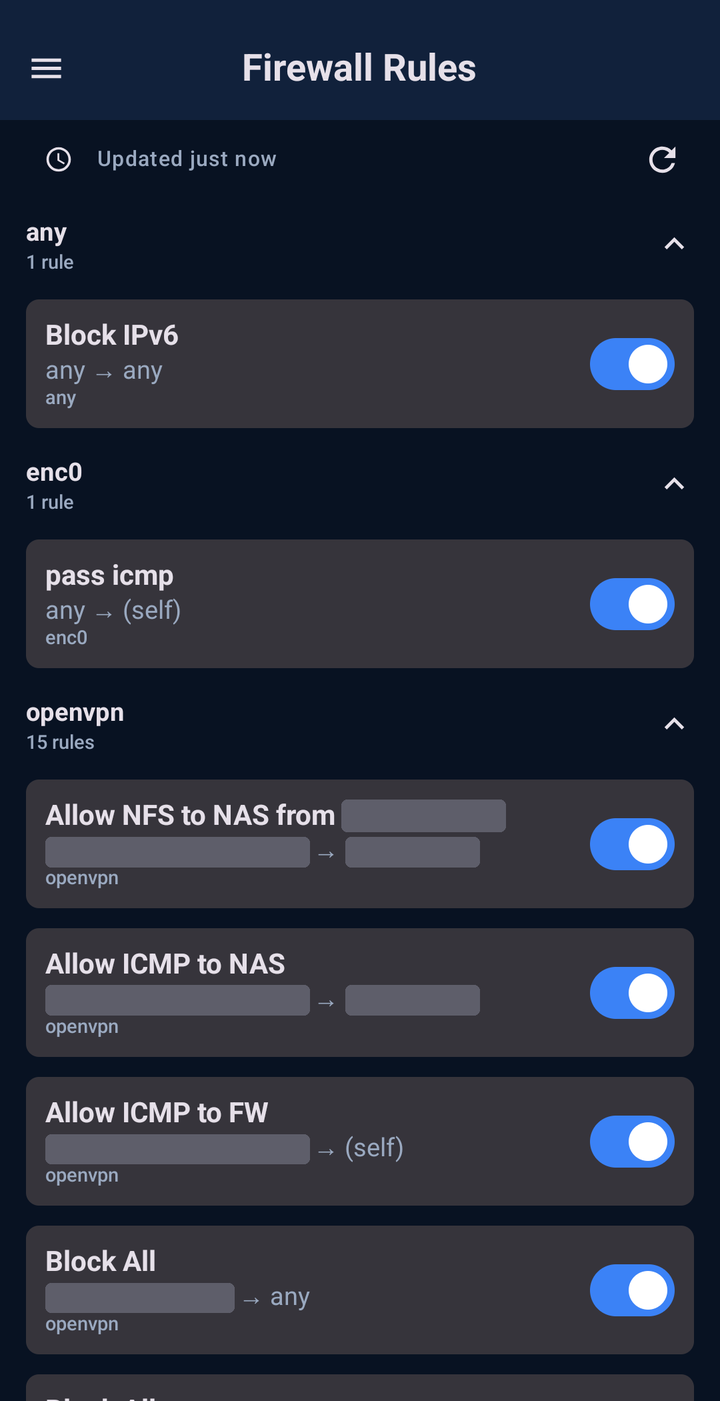 Coming soon
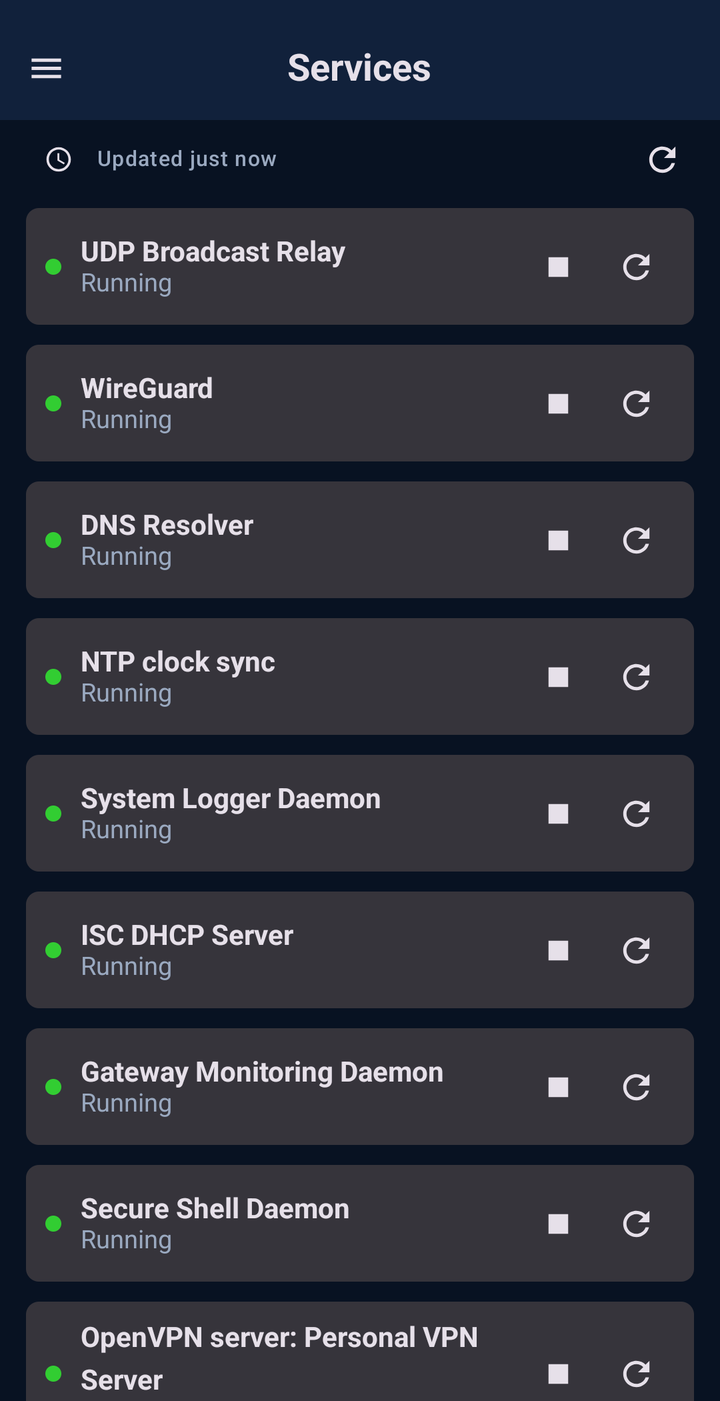 Coming soon
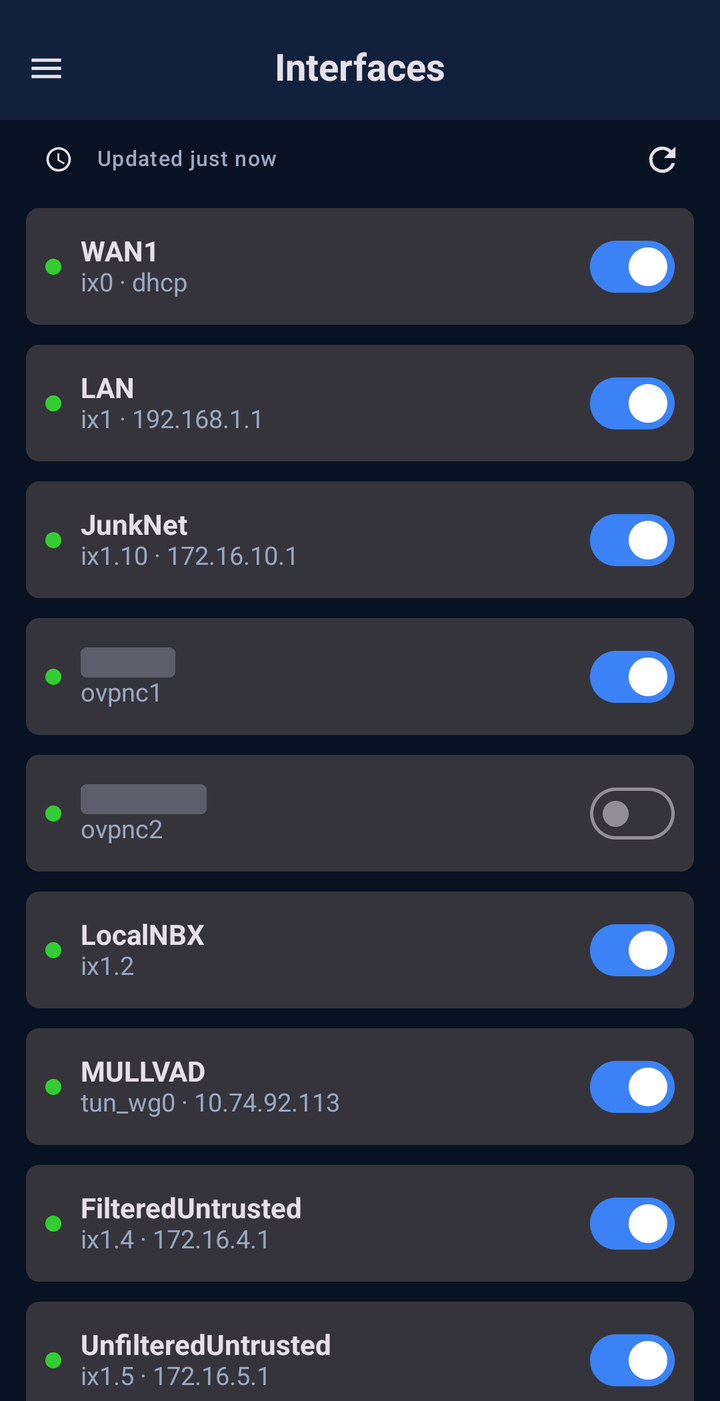 Coming soon
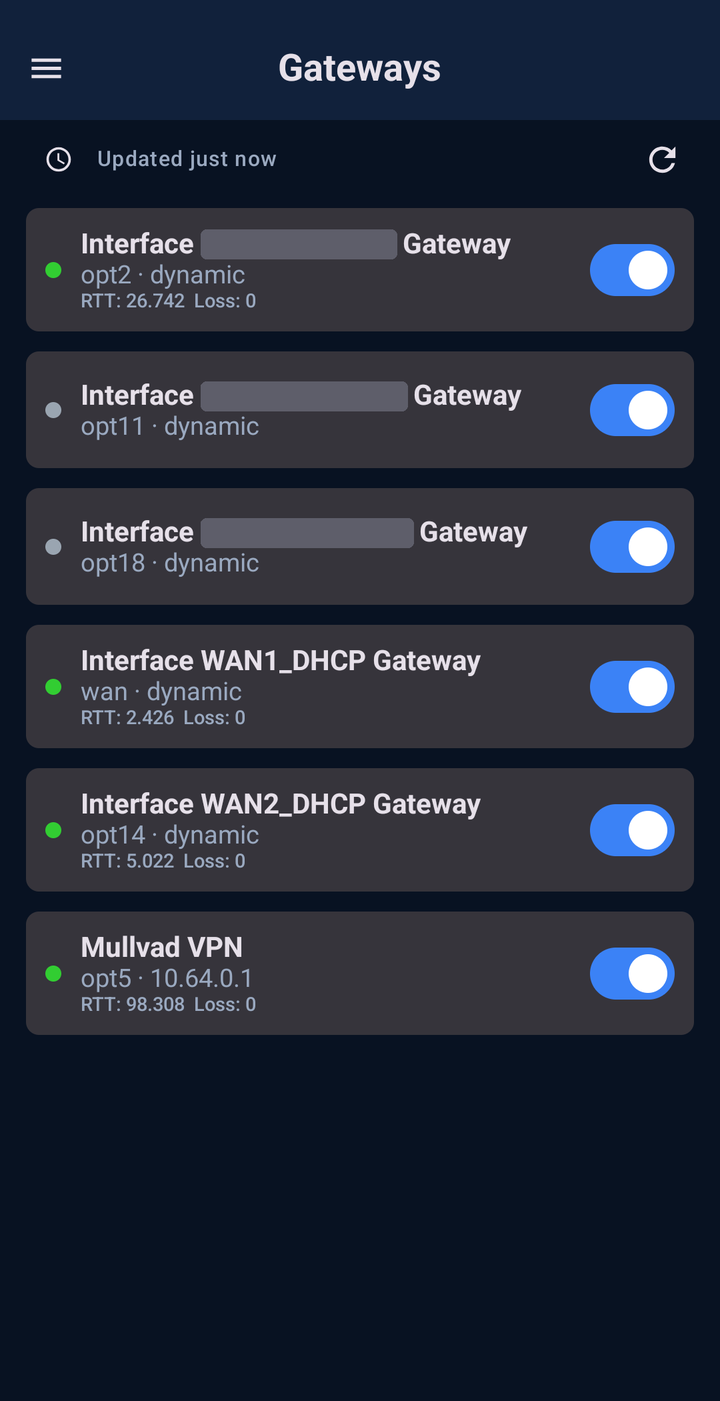 Coming soon
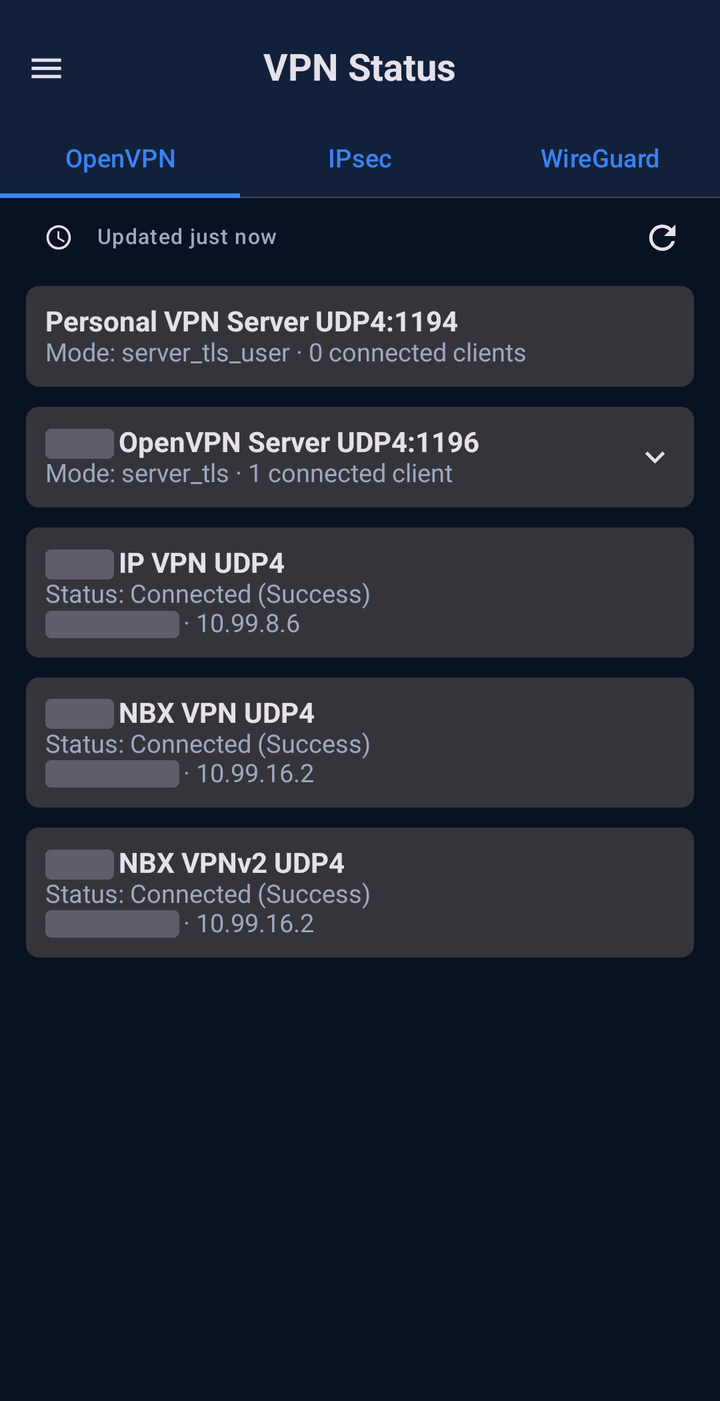 Coming soon
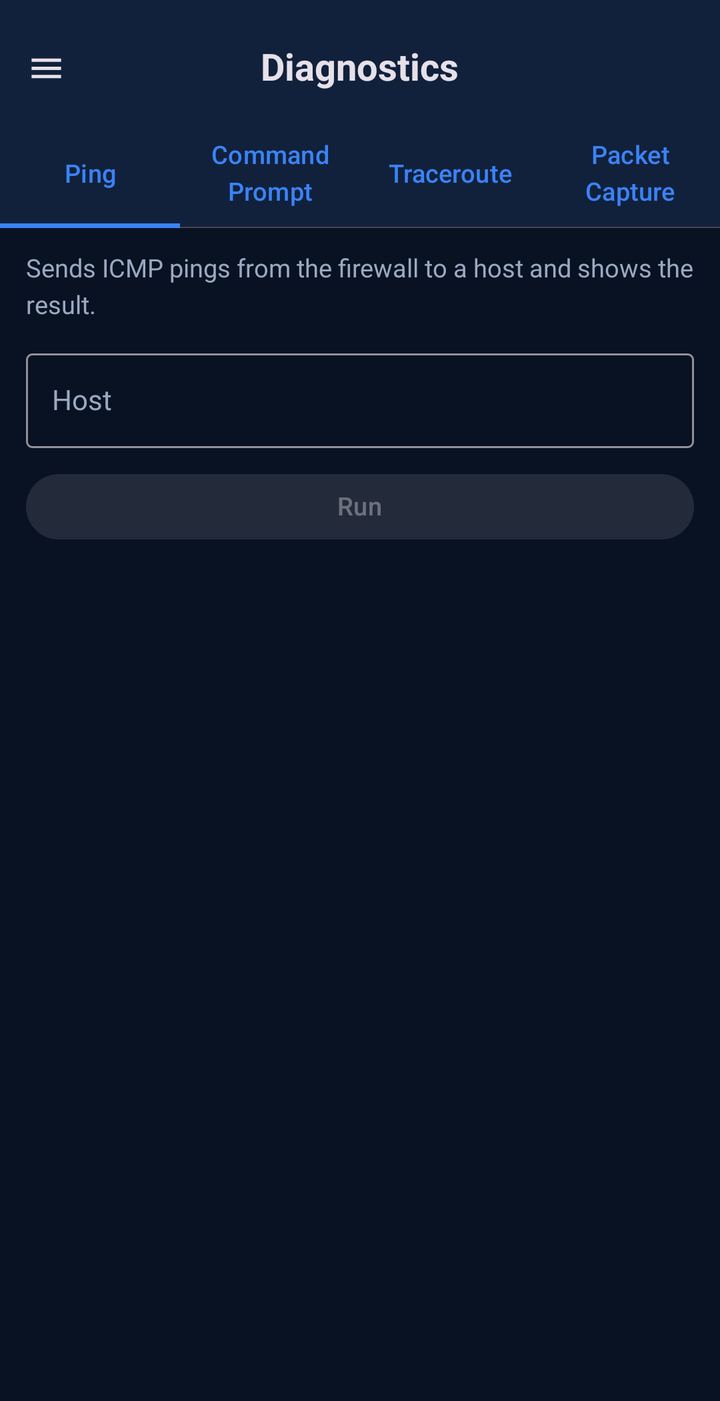 Coming soon
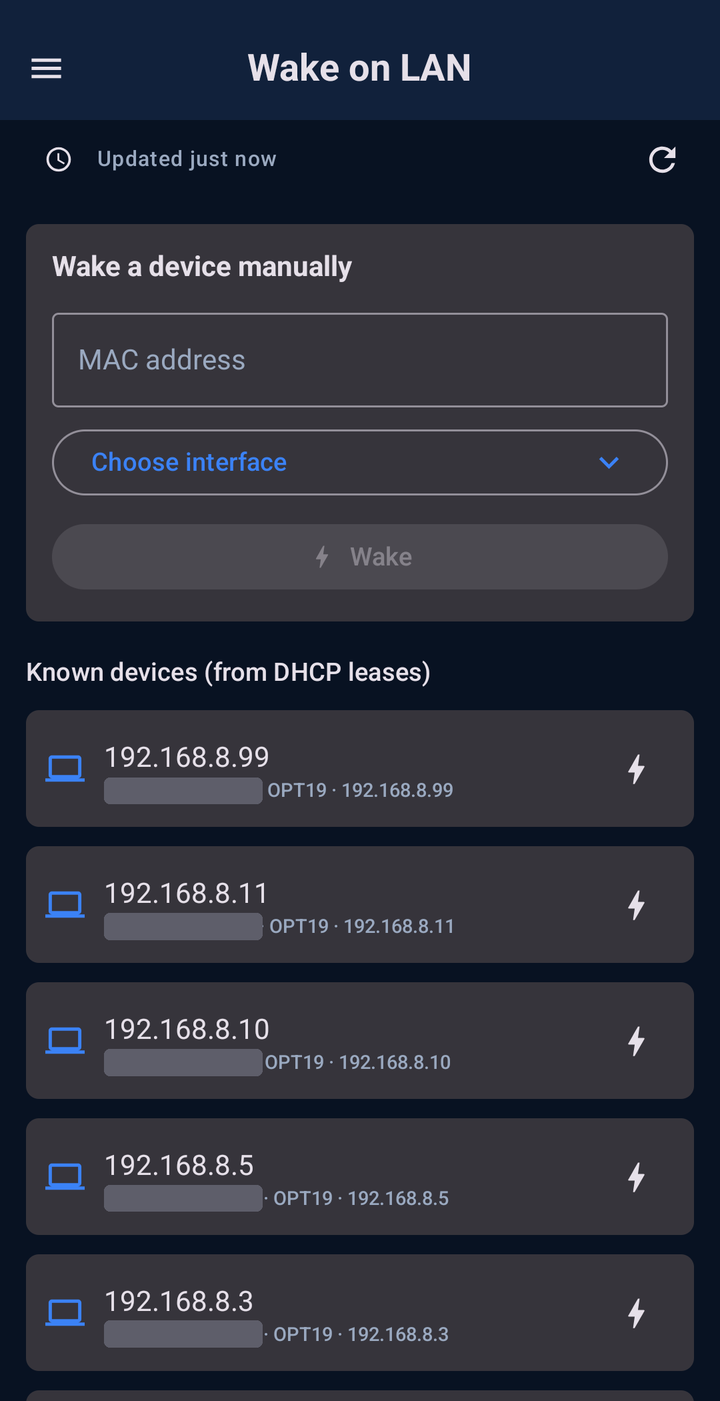 Coming soon
 Coming soon
 Coming soon
 Coming soon
 Coming soon
FAQ
Common questions people ask.
Where does my data go?
Nowhere but your firewall. PocketSense connects directly to the pfSense instance you point it at over its REST API, with no relay, cloud account, or third party in between.
Do I need anything installed on pfSense first?
Yes. PocketSense talks to pfSense-pkg-RESTAPI, a community-built, open-source REST API package for pfSense (not affiliated with Netgate or the pfSense team), not the classic PHP GUI. Install it from System > Package Manager, then generate an API key under System > REST API.
Does it work with my firewall's two-factor authentication?
Yes, and it's a non-issue either way. PocketSense doesn't use your GUI username and password at all, so whatever 2FA you've set up on the web login is completely untouched.
Can I connect more than one firewall?
Yes, add as many pfSense firewalls as you want and switch between them from one app. Background alerts check all of them, not just the one you’re viewing.
Does it support self-signed certificates?
Yes, per firewall. If a firewall uses pfSense’s default self-signed certificate, check "Trust self-signed certificate" when adding it, or later from the edit icon. Every other saved firewall keeps full certificate validation.
How are my API keys protected?
Stored in AES-256 encrypted preferences backed by Android's Keystore, and explicitly excluded from Android's cloud backup and device-transfer, so a key never leaves the device it was entered on.
What endpoints does the app talk to?
Only the pfSense firewalls you've added, plus GitHub. Every 12 hours, or if you hit "Check now" on the About screen, PocketSense checks GitHub Releases for a newer version and compares version numbers locally, never sending your data anywhere.
Can PocketSense create, edit, or delete my firewall configuration?
No, by design. PocketSense never creates, edits, or deletes pfSense config objects such as rules, aliases, or NAT entries. The changes it can make are enabling or disabling an existing item, starting, stopping, or restarting a service, rebooting or shutting down the firewall, waking a device, resetting the state table, and changing a local user’s password.
Can PocketSense change my firewall without me knowing?
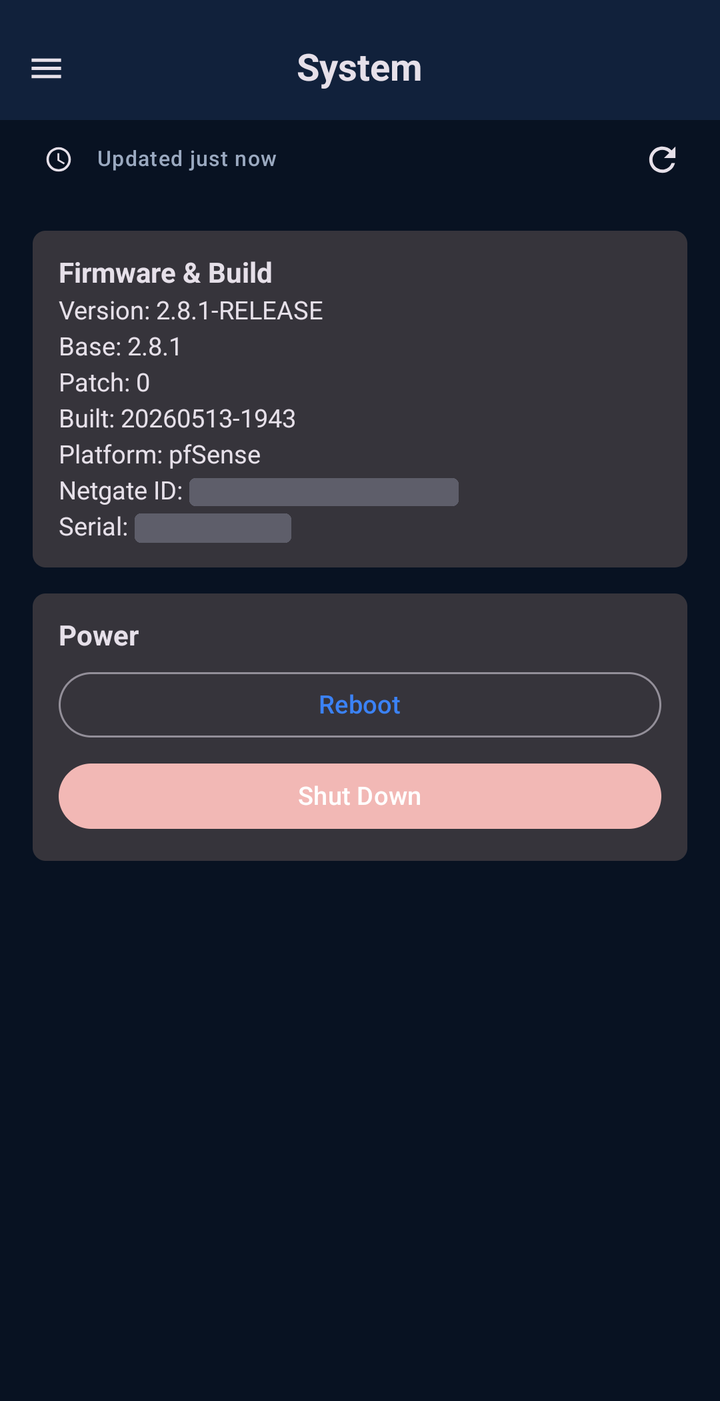
No. Every change happens because you tapped it, and by default each one asks for confirmation first (you can turn that off in Settings). Resetting the state table, and the traceroute, packet capture, and command prompt tools, always ask for confirmation regardless of that setting. PocketSense calls the apply endpoint after rule changes, since pfSense buffers them, but never applies anything you didn’t ask for.
Will I get notified if something goes down?
Yes, once background alerts are turned on in the Notifications screen. PocketSense checks every saved firewall on a schedule you set in Settings (optionally on Wi-Fi only), even the ones you’re not actively viewing, for firewall reachability, stopped services, and rule-set changes. You choose which of the three alert types you want.
What happens if my firewall is unreachable?
PocketSense shows the last data it successfully loaded, clearly labeled as cached, so you can still look things up, then refreshes when the firewall is back. The cache is stored only on your device, and only changes you make while connected are sent to the firewall.
Can I lock the app?
Yes. Settings has an optional biometric unlock for reopening the app and an auto-logout timer. Confirmation prompts for changes are on by default.
Can I back up my firewall list?
Yes. Backup & Restore saves your firewall list and app settings to a folder you choose, manually or on a daily, weekly, or monthly schedule. API tokens are never included, so you’ll be asked to re-enter them when you restore.
Does it have a dark theme or other languages?
Yes to the theme: choose light, dark, or follow your system. The app is currently English only, but its text is built to support additional languages.
What does PocketSense actually build against?
pfSense-pkg-RESTAPI's real v2 API and its published OpenAPI spec, endpoint paths, field names, and the response envelope read directly from the package source rather than assumed.
What Android versions are supported?
Android 8.0 (API 26) and newer.
Is PocketSense free?
Yes, PocketSense is currently free.
Is PocketSense open source?
Not yet. Source availability is something that may change down the line; for now the APK is distributed directly from GitHub Releases.
DOWNLOADS & SUPPORT
Download the app today!
PocketSense is hosted on GitHub.
Found a bug?
Open an issue on GitHub with your pfSense version, PocketSense version, how you got to the bug, and what you saw.
Report an issue →AI USE DISCLOSURE
I understand the reservations surrounding AI-generated software. Relying on a tool to write code without fully understanding either the tool or the output is risky and many wish to avoid it. However, developer assistance tools like autocomplete or online reference platforms have been standard practice for years before AI came on the scene.
Both the PocketSense app and website were developed with the help of AI coding assistants. Depending on the task, this assistance ranged from simple word completion to refactoring functions for modern best practices. Crucially, every line of code was individually reviewed, vetted, and tested against real pfSense builds.
Finally, AI involvement is strictly confined to the build process: the PocketSense application itself contains no embedded AI features or runtime models.